Author: admin_user

  • AI Just Joined Your Team


    AI Profit Letter – October 21, 2026


    Dots, Muse, and the new job of managing AI like you’d manage a hire͏‌ ͏‌ ͏‌ ͏‌ ͏‌ ͏‌ ͏‌ ͏‌ ͏‌ ͏‌ ͏‌ ͏‌ ͏‌ ͏‌ 


  • Where AI Starts to Keep Watch for You


    AI Profit Letter – October 14, 2026


    Competitor monitoring, marketing coordination, and customer conversations after the sale͏‌ ͏‌ ͏‌ ͏‌ ͏‌ ͏‌ ͏‌ ͏‌ ͏‌ ͏‌ ͏‌ ͏‌ ͏‌ ͏‌ 


  • Judgment beats speed. Here’s how to tell what’s actually good


    AI Profit Letter – October 7, 2026


    Testing ideas before launch, turning footage into finished content, and writing your AI rulebook in 10 minutes͏‌ ͏‌ ͏‌ ͏‌ ͏‌ ͏‌ ͏‌ ͏‌ ͏‌ ͏‌ ͏‌ ͏‌ ͏‌ ͏‌ 


    AI Profit Letter - Run Your Business at the Speed of Intelligence - from the desk of Scott Hall

    WEDNESDAY, OCTOBER 7, 2026

    📗 Free Guide · Just Released


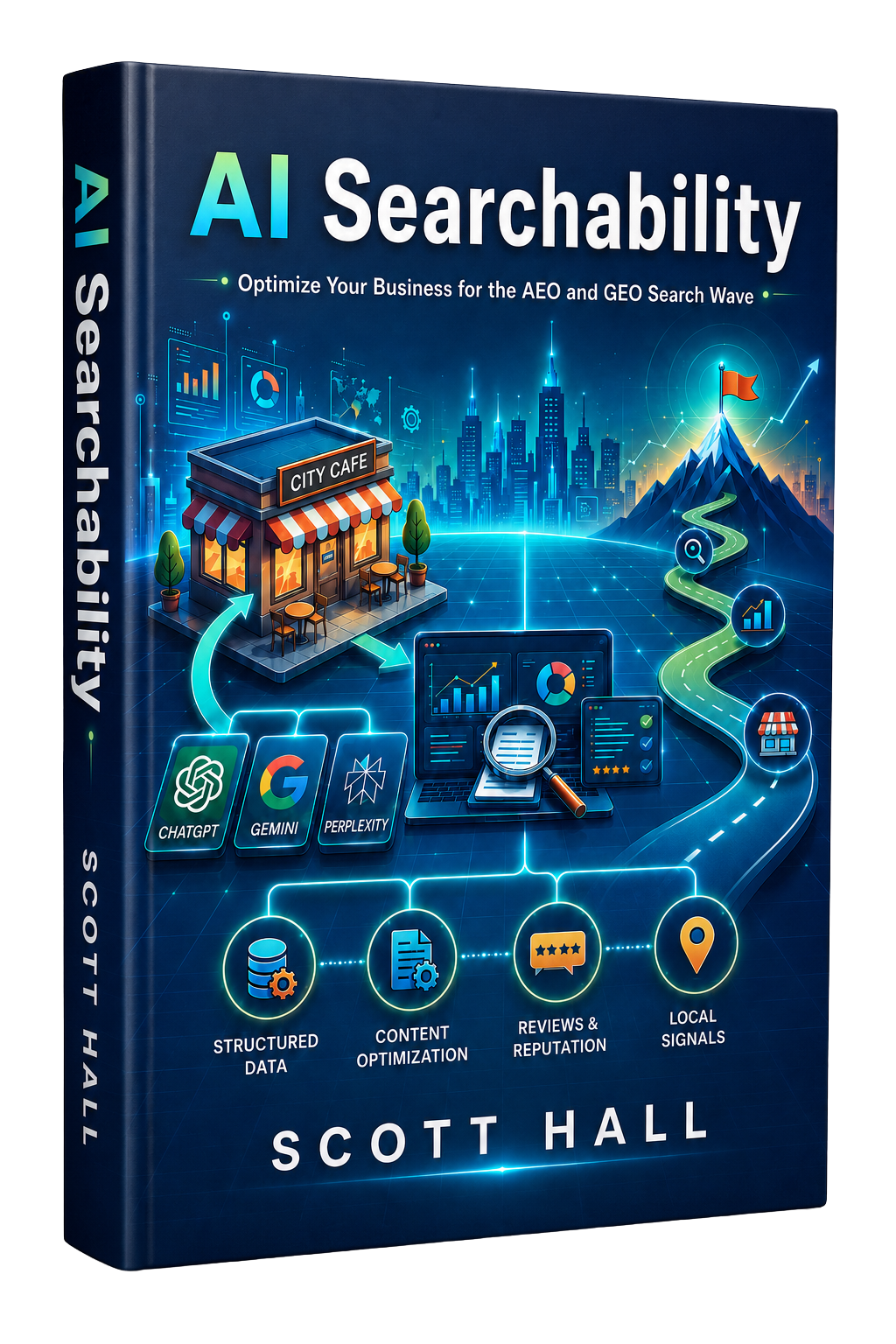
    AI Searchability - Optimize Your Business for the AEO and GEO Search Wave

    You Don’t Have a Reputation Problem. You Have an AI Visibility Problem.

    When a client asks ChatGPT, Gemini, or Perplexity to recommend a firm like yours, AI doesn’t pick the best business: it picks the one it can recommend with confidence. Every business now has two reputations: the one your clients know, and the one AI assembles from your digital footprint. AI Searchability breaks down the four signals AI weighs before it recommends you, and how to make sure the reputation you’ve earned is one it can actually see.

    ▶ Why respected firms are going invisible to ChatGPT, Gemini & Perplexity
    ▶ The 4 Pillars of AI Readiness, and which one carries the most weight
    ▶ How to turn the reputation you’ve earned into evidence AI can verify

    GET THE FREE GUIDE

    Every week we break down practical uses of AI to build smarter systems and scale faster, resulting in more profitable workflows in your business.

    Trending this Week:

    A friend who runs a small marketing shop showed me a folder last week. Forty ad variations, a dozen video cuts, two full landing page drafts, and a page of email subject lines, all generated in a single afternoon. Then she asked the question that actually mattered: which of these is any good?

    That question is getting louder everywhere. AI can write the ad, cut the video, summarize the customer interviews, and even predict which version people will click. Making things has gotten cheap and fast. Deciding what deserves to go out the door has gotten harder, because there’s so much more to sort through.

    So the edge is moving toward judgment. Knowing your customers well enough to pick the strongest idea, and trusting the AI you rely on enough to act on what it hands you. The businesses pulling ahead are the ones getting sharper at both. MORE


    Today’s Issue:

    ▶ Tools for testing ideas before launch and turning raw footage into finished content
    ▶ New SAS research linking strong AI governance to much bigger returns
    ▶ A 10-minute exercise for writing your own AI rulebook

    This week is about judgment: how to tell what’s actually good when AI can make almost anything.

    Let’s get into it. 👇


    🚀 AI TOOLS OF THE WEEK

    Tool #1

    Decode by Entropik

    Summary

    Decode is an AI-powered platform for UX and market research. You can run AI-moderated interviews, usability tests, prototype studies, concept tests, and shopper research, and you can gauge how an ad is likely to perform before it ever launches. It also layers in webcam eye tracking along with facial and voice emotion analysis, so you pick up signals participants never say out loud.

    Why It Matters

    Guessing is the most expensive habit in marketing. Decode gives you a way to put an idea in front of real people before you commit budget to a campaign, a product, a landing page, or a new customer experience.

    Scott’s Take

    “AI made it easy to create more marketing. The next advantage is getting better at deciding what’s worth creating at all. If you can see how people react before you spend thousands pushing an idea into the market, that’s money you get to keep.”


    Tool #2

    Flicka

    Summary

    Flicka is a screen recorder that runs in your browser and adds cinematic zooms automatically by following your cursor. You can trim and edit recordings on a timeline and mark up screenshots with annotations, then export finished files as video (MP4 or WebM) or as a GIF. You don’t need to install anything or create an account, and your recordings get processed right on your own device, which matters if you’re capturing anything sensitive.

    Why It Matters

    Screen recordings do more work than most people give them credit for. The same capture can become a product demo, a social clip, customer onboarding, sales material, a support video, or a quick explanation for your team. Flicka gets those recordings looking polished without adding a whole video editing workflow to your week.

    Scott’s Take

    “I’ve talked a lot about showing instead of explaining, and this is a good example of it. If your product or process makes more sense when someone watches it happen, a clean 60-second demo can do more selling than another page of copy.”


    Tool #3

    Supacut

    Summary

    Supacut is built for documentary and interview editors with hours of footage to get through. It flags strong soundbites, groups footage by theme, compares answers across interviews, suggests possible narrative directions, and generates an editable rough cut. When it’s done, editors export the work and keep refining it in the editing software they already use.

    Why It Matters

    Anyone who’s edited interview content knows where the hours disappear: hunting for the handful of great moments buried in the footage. Supacut takes over most of that searching and sorting, so creators can spend their energy deciding what story they want to tell.

    Scott’s Take

    “This is the kind of AI use I like best. Let the machine do the tedious searching while you make the creative calls. AI can surface ten possible great moments faster than you ever could, and you still decide which one belongs in the story.”


    Sponsored


    Gushwork - Get leads from ChatGPT. Turn ChatGPT searches into qualified leads for your business.

    You can’t afford to be silent on ChatGPT, Gemini, or Perplexity find out why

    📖 AI IN THE REAL WORLD

    Strong AI Governance Is Linked to Much Higher ROI

    According to a new SAS study of 2,699 business leaders across 28 countries, the way a business manages its AI has a lot to do with the returns it reports. Organizations with strong practices around AI governance, data quality, oversight, explainability, and accountability were 15 times more likely to report strong or high AI ROI than organizations with weaker practices.

    Trust showed up in the data too. According to the same SAS study, 97.2% of respondents said they override AI recommendations at least occasionally, and the leading reason was a lack of explanation behind what the AI decided.

    Scott’s Take

    “The lesson for small business owners is simple: using more AI doesn’t automatically mean getting more value from it. As you hand AI more customer data and more of your day-to-day decisions, you need clear rules about what it’s allowed to do and where a person has to check the work before anything moves. A little structure might be exactly what gets you more out of it.”

    Read the Full Case Study

    Sponsored


    Chase for Business Credit Cards - Ink Business Cash, Unlimited, Preferred, Freedom and Sapphire Reserve. Apply today for the status you deserve.

    Business credit cards built for growing companies. Apply with Chase for Business →

    ⚡ AI GROWTH HACK OF THE WEEK

    Write Your 10-Minute AI Rulebook

    The Strategy

    You don’t need a 50-page corporate AI policy. Start with one page covering the AI tools your business already uses, then let AI help you turn your notes into rules your team will actually follow.

    1. List what AI can handle. Write down the tasks you’re comfortable handing to AI today, like first drafts, meeting summaries, research outlines, or social captions.

    2. Name the off-limits information. Note what should never go into an AI tool, such as customer payment details, passwords, employee records, or anything covered by a confidentiality agreement.

    3. Mark the human checkpoints. Decide which outputs a person has to review first, especially anything going out under your business’s name or feeding into a real decision.

    4. Have AI draft the rules. Paste your notes into the prompt below and let AI shape them into a one-page guide. Then read it yourself and cut anything your team wouldn’t actually follow.

    The AI Prompt to Steal

    “Act as an AI operations advisor for my small business. Help me create a simple one-page AI usage guide for my team.

    We currently use AI for: [LIST USE CASES]

    Our business handles this type of customer and company information: [DESCRIBE INFORMATION]

    Write clear guidelines covering what employees can use AI for, what information should never be entered into an AI tool, which outputs require human review, how employees should verify important AI-generated information, and when AI shouldn’t be used at all.

    Keep the rules specific and simple enough that an employee can understand them in five minutes.”

    Why This Works

    As AI touches more parts of your business, a few simple rules keep small mistakes from turning into expensive ones. They also give your team confidence. People know where AI can help and where their own judgment still counts, and you get there without turning AI adoption into a compliance project.


    Wrapping Up

    Decode helps you test an idea with real people before you spend money on it. Flicka and Supacut help you polish the content once it exists. All of them point at something I keep coming back to: speed only pays off when someone is still judging what’s good. The businesses getting the most from AI still bring real judgment about their customers and about what deserves to move forward.

    The SAS research adds another layer. As AI takes on more responsibility inside a business, trust and oversight have to grow right alongside speed and automation. The companies that put some structure around their AI are the ones reporting the strongest returns.

    You don’t need enterprise-level governance to start. Write down a few clear rules and decide where a person stays in the loop. That’s enough to make sure AI is raising the quality of your business instead of only piling more work onto everyone’s desk.

    Keep profiting,

    Keep profiting,

    Scott Hall

    AI Profit Letter

    You’re receiving this because you subscribed to the AI Profit Letter.

    Better Online Info LLC | AI Profit Letter | 2150 NJ-35, Suite 250, Sea Girt, NJ 08750


  • Small businesses hiring faster with AI—here’s why


    AI Profit Letter – September 30, 2026


    What happens when you free up five hours a week͏‌ ͏‌ ͏‌ ͏‌ ͏‌ ͏‌ ͏‌ ͏‌ ͏‌ ͏‌ ͏‌ ͏‌ ͏‌ ͏‌ 


    AI Profit Letter - Run Your Business at the Speed of Intelligence - from the desk of Scott Hall

    WEDNESDAY, SEPTEMBER 30, 2026

    Every week we break down practical uses of AI to build smarter systems and scale faster, resulting in more profitable workflows in your business.

    📗 Free Guide . Just Released


    AI Searchability - Optimize Your Business for the AEO and GEO Search Wave

    You Don’t Have a Reputation Problem. You Have an AI Visibility Problem.

    When a client asks ChatGPT, Gemini, or Perplexity to recommend a firm like yours, AI doesn’t pick the best business. it picks the one it can recommend with confidence. Every business now has two reputations: the one your clients know, and the one AI assembles from your digital footprint. AI Searchability breaks down the four signals AI weighs before it recommends you, and how to make sure the reputation you’ve earned is one it can actually see.

    ▶ Why respected firms are going invisible to ChatGPT, Gemini & Perplexity
    ▶ The 4 Pillars of AI Readiness. and which one carries the most weight
    ▶ How to turn the reputation you’ve earned into evidence AI can verify

    GET THE FREE GUIDE

    Trending this Week:

    A client called me last month, nervous about turning on an AI tool for the first time. Her real worry was what her three employees would think once they found out. Would they assume she was quietly building a case to replace them?

    That worry shows up in almost every conversation I have with small business owners right now. Somewhere along the way, “adopting AI” and “cutting your team” got treated as the same decision. Owners feel like they have to pick a side: keep people and stay slow, or go fast and lose people.

    New research is putting real numbers behind what I’ve been telling clients for a while: that’s a false choice. Businesses using AI are growing their teams faster than businesses that know about AI but haven’t adopted it. The capacity AI frees up is getting spent on the next hire more often than it’s getting banked as pure savings. MORE →


    Today’s Issue:

    ▶ An AI sales agent that runs product demos around the clock
    ▶ A tool that turns email deliverability data into a fix list
    ▶ New research on what AI adopters actually do with their extra capacity

    This week is about the after: what happens once AI actually buys you back hours, and where those hours tend to go.

    Let’s get into it. 👇


    🚀 AI TOOLS OF THE WEEK

    Tool #1

    Naoma

    Summary

    Naoma replaces the standard “Book a Demo” button with an AI sales agent that runs the demo itself. A B2B SaaS prospect can get a live, personalized walkthrough of your product right in the browser, ask questions, get qualified, and get routed to whatever comes next.

    Why It Matters

    A prospect who lands on your site at 9 PM shouldn’t have to fill out a form and wait until tomorrow to see your product work. Naoma keeps that demo available around the clock and hands off qualified leads straight to your CRM or your sales calendar.

    Scott’s Take

    “I like that this takes the waiting out of the sales process. Your actual salespeople still own the relationships and the close. AI handles the walkthrough when the prospect’s interest is highest, which is usually the exact moment they hit your site, not whenever your calendar has an opening.”


    Tool #2

    Hello Inbox

    Summary

    Hello Inbox helps businesses get more of their email campaigns into the inbox instead of the spam folder. It runs nine deliverability checks and pairs them with an AI layer that turns the technical output into specific fixes.

    Why It Matters

    You can write a sharp email and build a strong offer, and none of it matters if the message never reaches anyone. Deliverability tools have a habit of dumping a pile of technical data on marketers without telling them what to actually do about it. Hello Inbox is built to close that gap and hand you next steps instead of a report.

    Scott’s Take

    “Deliverability is nobody’s favorite part of marketing, but a small fix here can change everything downstream. If AI can point at exactly what’s hurting your inbox placement instead of making you decode another dashboard, that’s a real use of the technology.”


    Tool #3

    Slashy

    Summary

    Slashy is an AI-native email client built to handle more of the work sitting around your inbox. It drafts responses in your voice, prioritizes what actually needs your attention, tracks follow-ups, and pulls context from your email, calendar, CRM, and meeting notes.

    Why It Matters

    Email isn’t only communication. It’s where leads show up, decisions get made, meetings get booked, customer questions land, and follow-ups quietly die. Slashy is built around that bigger picture. You can ask it to prep you for a meeting, draft a follow-up, flag people who still owe you a response, or help you clear the backlog.

    Scott’s Take

    “The interesting part is giving AI enough context about your business to know what actually needs to happen next, more than having it write another email for you. That’s when an inbox becomes a system that actually keeps things moving for you.”


    Sponsored


    Gushwork - the quality of leads we are having with Gushwork are through the roof, compared to what we had before. Stephanie Snyder, Owner, Source Equipment

    You can’t afford to be silent on ChatGPT, Gemini, or Perplexity find out why

    📖 AI IN THE REAL WORLD

    Small Businesses Using AI Are Hiring Faster

    New research from Gusto tracked small businesses after they started using AI and found something that cuts against the usual headlines: AI adopters grew their headcount about 7% more than similar businesses that knew about AI but hadn’t adopted it yet.

    That gap widened for the smallest businesses. Companies under 10 employees grew their teams about 10% more once they adopted AI. A lot of these businesses used the extra output to take on more work and serve more customers, which meant hiring more people to keep up.

    Scott’s Take

    “This matches what I see with clients constantly. Time is the tightest resource in a small business. Free up enough of it and owners don’t sit on their hands, they go chase the next customer. The real payoff is building enough of a cushion to make the next hire count when it happens.”

    READ THE FULL CASE STUDY

    Sponsored


    Chase for Business - business checking built for growing companies

    Business checking built for growing companies. See Chase for Business →

    ⚡ AI GROWTH HACK OF THE WEEK

    Find Your Next 5 Hours

    The Strategy:

    Before you buy another AI tool, figure out where your time is actually going. For one week, track every repetitive task pulling you away from customers, sales, strategy, or building your product. Then hand that list to AI and let it find your best opportunities.

    1. Track your tasks for a week. Write down every repetitive task that eats into time you’d rather spend on customers, sales, strategy, or your product.

    2. Hand the full list to AI. At the end of the week, paste everything into an AI tool and ask it to sort through what you tracked.

    3. Prioritize by real time saved. Focus on the handful of opportunities that could realistically buy you back at least five hours a week.

    4. Test before you commit. For your top three opportunities, get a plan for what to automate, what tool or workflow it needs, what still needs a human reviewing it, and the simplest way to try it before you spend serious time or money.

    The AI Prompt to Steal

    “Act as an AI operations advisor for my small business. Below is a list of repetitive tasks that consumed my time this week.

    [PASTE TASKS]

    Identify the tasks that are the best candidates for AI assistance or automation. Prioritize opportunities that could realistically save me at least five hours per week.

    For the top three opportunities, explain what I should automate, what AI tool or type of workflow I would need, what should still require human review, and the simplest way to test the idea before investing significant time or money.”

    Why This Works:

    Saving time only pays off if you actually put it somewhere. Finding five real hours a week gives you five hours to put toward customers, marketing, product work, or whatever’s next on your growth list. That’s the real mechanism behind AI productivity turning into business growth.


    Wrapping Up

    Naoma clears the wait on sales demos. Hello Inbox clears the guesswork around email deliverability. Slashy clears the backlog piling up inside your inbox. Each one earns its keep by clearing friction out of work that was already stuck, long before anyone talks about what it generates on its own.

    The Gusto research gives that idea a bigger frame. Small businesses using AI aren’t responding by shrinking. Plenty of them are gaining enough room to grow faster and bring on more people.

    That’s the more useful goal for AI at a small business: clear out the work that’s slowing you down so you can put more of your time, your money, your people, and your attention into the work that actually grows the business.

    Keep profiting.

    Keep profiting,

    Scott Hall

    AI Profit Letter

    You’re receiving this because you subscribed to the AI Profit Letter.

    Better Online Info LLC | AI Profit Letter | 2150 NJ-35, Suite 250, Sea Girt, NJ 08750


  • AI doesn’t replace, it retrains your team.


    AI Profit Letter – September 23, 2026


    Why layoffs didn’t follow adoption. Plus two tools that free your people from busywork.͏‌ ͏‌ ͏‌ ͏‌ ͏‌ ͏‌ ͏‌ ͏‌ ͏‌ ͏‌ ͏‌ ͏‌ ͏‌ ͏‌ 


    AI Profit Letter - Run Your Business at the Speed of Intelligence - from the desk of Scott Hall

    WEDNESDAY, SEPTEMBER 23, 2026

    📘 New Free Guide · Just Released


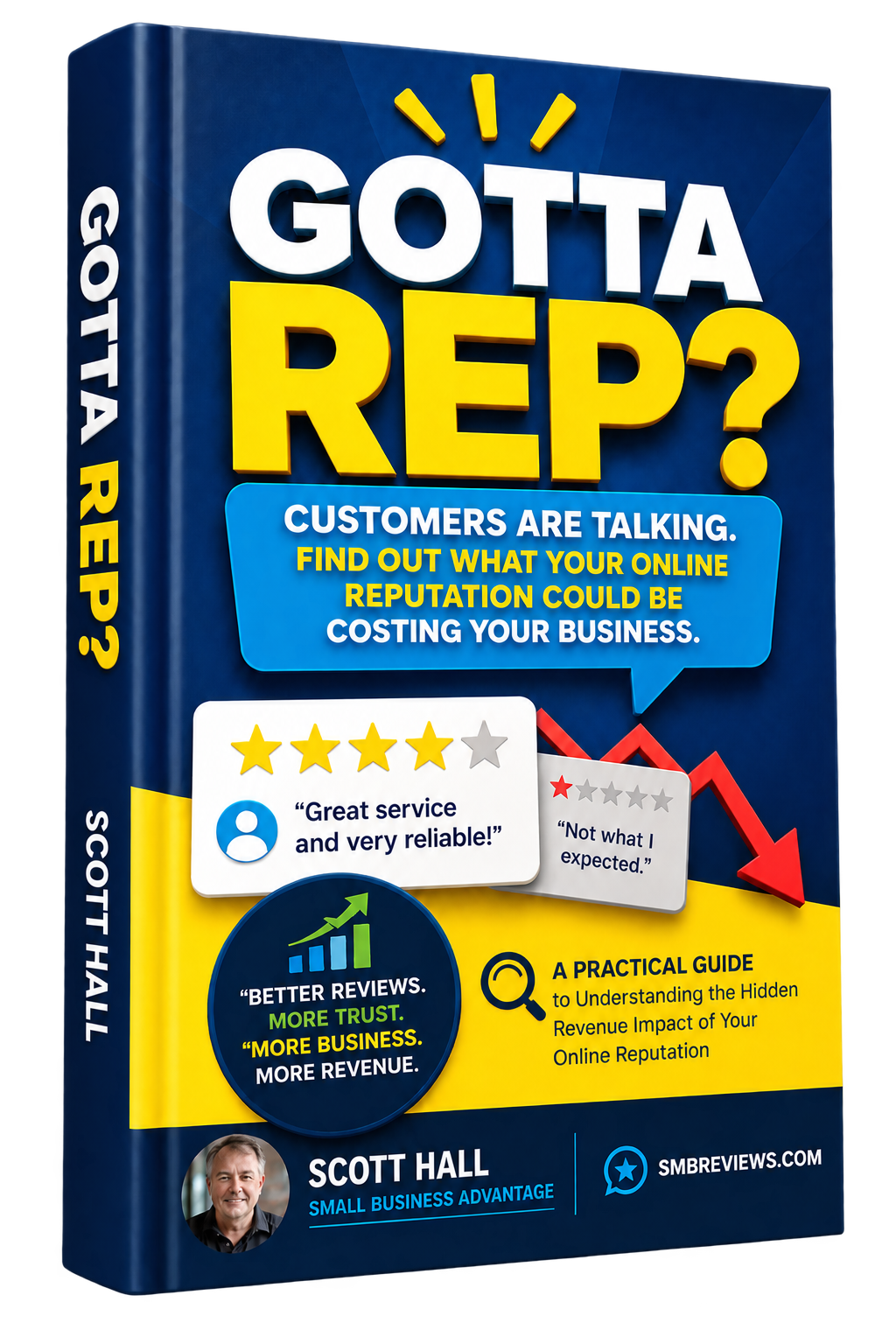
    Gotta Rep? A practical guide to understanding the hidden revenue impact of your online reputation, by Scott Hall

    New Free Guide! You’ll discover why prospects can be interested in your business, look you up, and quietly choose someone else based on what they find online.

    You’ll also see why reviews should be treated as more than compliments. They can become part of the system that helps turn interested prospects into customers.

    GET THE FREE GUIDE

    Trending this Week:

    A client called me last week already convinced he needed to cut two people off his content team once his new AI stack went live. He had the notice half drafted before he ever asked me what I thought.

    That assumption is sitting under a lot of AI purchases right now: faster tools, fewer people needed to keep the business running. I hear some version of that math from an owner almost every week, usually before they’ve actually tested it against their own team.

    New research says the math doesn’t hold up. Adoption keeps climbing and the mass layoffs everyone braced for haven’t shown up, because businesses are pointing AI at the parts of a job that were never the reason they hired somebody in the first place. MORE →


    Today’s Issue:

    ▶ Two AI tools that take over the busywork sitting around a job, not the job itself
    ▶ New research on why AI adoption keeps climbing without the layoffs everyone predicted
    ▶ A growth hack for finding exactly where AI should step into your team’s week

    This issue is about what’s actually shifting inside a role once AI gets involved.

    Let’s get into it. 👇


    🚀 AI TOOLS OF THE WEEK

    Tool #1

    Higgsfield Genjutsu

    Summary

    Higgsfield Genjutsu is an AI video-to-video tool built for creators and marketers who want to reshape footage they’ve already shot. Its Motion Transfer and Object Swap features can change characters, objects, clothing, locations, and visual style, while keeping the original motion, timing, and shot structure intact.

    Why It Matters

    Traditional video marketing has a frustrating ceiling: a meaningfully different version usually means booking a crew and shooting it again. AI video editing is starting to remove that ceiling. One piece of footage can become several usable variations for different audiences, offers, products, and platforms, without rebuilding the production from scratch.

    Scott’s Take

    “This is the interesting one for advertisers. Shoot one strong demo, then build variations around the setting, the props, the wardrobe, or the visual treatment. The question stops being what video should we make and turns into how many useful experiments we can pull from the one we already shot.”


    Tool #2

    Wittverse

    Summary

    Wittverse connects to your development activity and team workflows to track timelines, watch delivery pace, flag problems before they derail a project, and surface which stage of the work is actually stuck. Instead of a team constantly chasing updates by hand, AI does the watching and surfaces what actually needs a person’s attention.

    Why It Matters

    There’s a hidden cost to managing any team: figuring out what’s going on. What changed, what’s late, who’s blocked, and whether something is about to miss its deadline. None of that work moves a project forward on its own. It only confirms where the project already stands, and the more time your best people spend gathering that picture, the less time they have to fix what it shows.

    Scott’s Take

    “This lands right on what we’ve been circling for weeks. Productivity isn’t only a task getting faster. It’s also the meeting, the status report, the five follow-up messages, and the recap email that never needed to happen in the first place.”


    Sponsored


    Chase for Business - business checking built for growing companies

    Business checking built for growing companies. See Chase for Business →

    📖 AI IN THE REAL WORLD

    New Research Says AI Is Reshaping Jobs, Not Deleting Them

    New research from the Federal Reserve Bank of New York found AI adoption rising fast, with 61% of service firms and 51% of manufacturers now using it in some form. AI-tied layoffs, though, remain limited across that same group.

    What’s happening instead is retraining. A lot of businesses are teaching people already on payroll how to use AI inside the jobs they already hold, across marketing, day-to-day production work, and general productivity.

    Scott’s Take

    “This is a good reminder that AI isn’t only about replacing work. There’s a real opportunity to make the people you already have more capable. Teaching a strong marketer, a salesperson, a support rep, or any long-tenured team member how to actually use AI well may create more value than trying to automate their position outright.”

    READ THE FULL CASE STUDY →

    Sponsored


    Google Workspace for Business - email, docs and collaboration tools for teams

    Email, docs and collaboration tools your whole team can share. See Google Workspace →

    ⚡ AI GROWTH HACK OF THE WEEK

    Build an AI Skills Plan for Your Team

    The Strategy:

    Pick one person on your team and get specific about the five tasks eating most of their week. For each one, look at how much time it takes, how repetitive it is, how much judgment it actually requires, and where AI could realistically help. Then build a simple training plan around the biggest opportunities you find.

    1. Pick one person to start with. Choose someone whose week you understand well enough to break down honestly.

    2. List their five biggest recurring tasks. Be specific about what actually eats their hours, not what you assume does.

    3. Score each task on the same four points. Time spent, repetitiveness, judgment required, and realistic AI fit.

    4. Turn the biggest opportunities into a 30-day plan. Hand the results to AI and let it build the training around what you found.

    The AI Prompt to Steal

    “Act as an AI workforce strategist for a small business. I want to help this employee become more productive with AI without sacrificing quality, customer experience, consistency, or human judgment. Employee role: [ROLE]. Their five major recurring tasks are: [PASTE TASKS]. For each task, tell me whether AI should automate it, assist the employee, or stay mostly uninvolved. Then build a practical 30-day AI training plan with specific weekly exercises, measurable goals, potential risks, and the areas that should always require human review.”

    Why This Works:

    You don’t need a full AI transformation to see results. Starting with one employee and the work already sitting on their plate lets you find where AI can realistically save time or improve output, teach the specific skills needed to make that happen, and measure the results before rolling the approach out to the rest of the team.


    Wrapping Up

    This week’s tools each chip away at a different piece of the same problem. Higgsfield Genjutsu removes the reshoot tax that used to cap how much creative testing a team could afford. Wittverse pulls the status-chasing tax off of managers so the picture of a project stays current without a person having to go build it by hand.

    The Federal Reserve research backs up what these tools are actually doing in practice. Adoption is climbing fast, and businesses are mostly responding by retraining the people they already have rather than cutting them loose.

    That leaves entrepreneurs with a more useful question than “how many people can I replace.” Look at the people already on your team and figure out where AI could make them faster, sharper, more consistent, or simply able to take on more than their week currently allows.

    The goal here is simple: let the people you already trust do more with the time they get back.

    Keep profiting,

    Scott Hall

    AI Profit Letter

    You’re receiving this because you subscribed to the AI Profit Letter.

    Better Online Info LLC | AI Profit Letter | 2150 NJ-35, Suite 250, Sea Girt, NJ 08750


  • The AI Shift That’s Tripling Sales


    AI Profit Letter – September 16, 2026


    Plus: 3 new AI tools for content, and a way to clone your best salesperson.͏‌ ͏‌ ͏‌ ͏‌ ͏‌ ͏‌ ͏‌ ͏‌ ͏‌ ͏‌ ͏‌ ͏‌ ͏‌ ͏‌ 


    AI Profit Letter - Run Your Business at the Speed of Intelligence - from the desk of Scott Hall

    WEDNESDAY, SEPTEMBER 16, 2026

    📘 New Book · Just Released


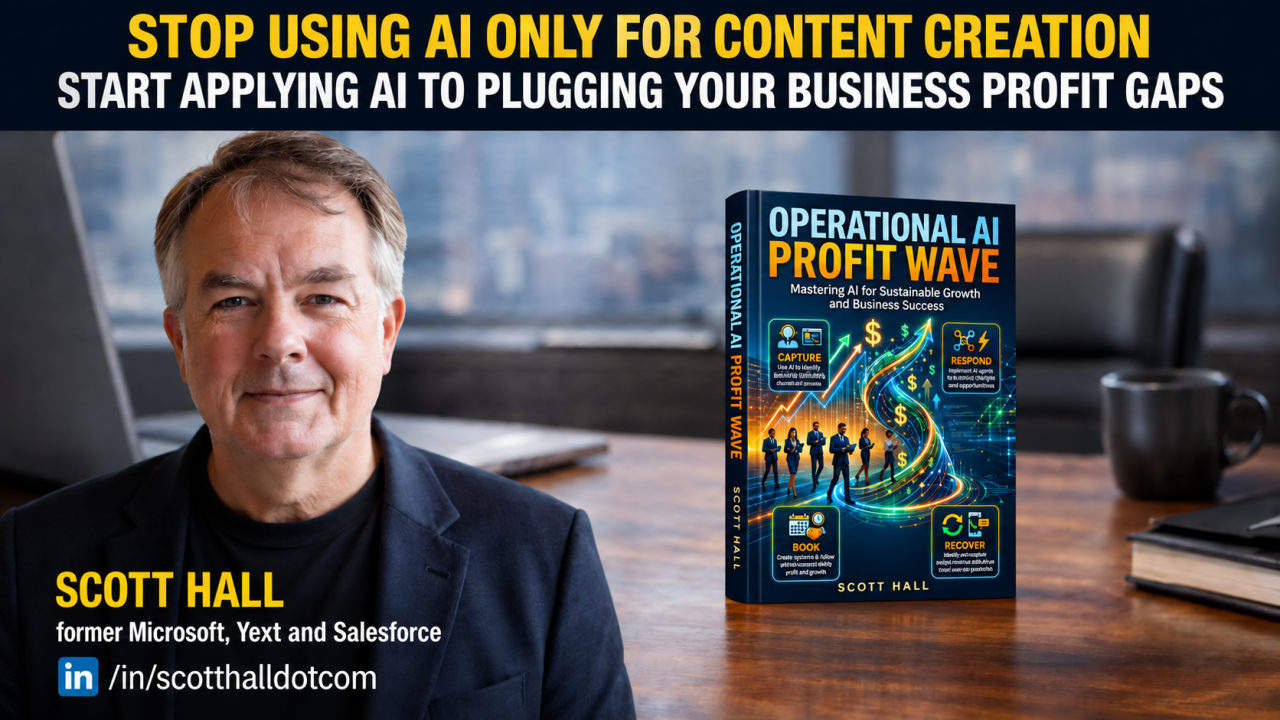
    Scott Hall with his new book, Operational Profit Wave

    Scott’s new book, Operational Profit Wave, is out now. It’s a practical guide to turning what your business already does well into a system AI can help you scale, without losing the parts of the business that made it worth choosing in the first place.

    GET THE BOOK

    Trending this Week:

    I talked to a shop owner last week who had spent two months trying to work out how AI was going to reinvent her business. New product ideas, a different service model, a rebrand, some picture of a company that looked nothing like the one she runs now. She was worn out and had shipped nothing.

    Meanwhile the businesses actually getting results from AI right now are doing something far less dramatic. They take a strength they already have, better service, deeper expertise, sharper recommendations, smoother buying, and use AI to put it in front of more customers. The company itself stays the same. What grows is the number of people who get the good version of it.

    Williams-Sonoma is the clearest example this week, and the conversion numbers are hard to argue with. This is the shift worth paying attention to: AI as a way to amplify what already works. The teardown-and-reinvent version is the one burning people out. MORE →


    Today’s Issue:

    ▶ 3 AI tools for producing better marketing and customer-facing content
    ▶ A retail case study where AI-guided shopping is converting at triple the normal rate
    ▶ A growth hack for turning your best salesperson’s knowledge into an AI-powered customer experience

    This week is about moving AI closer to the customer and closer to the expertise you already have.

    Let’s get into it. 👇


    🚀 AI TOOLS OF THE WEEK

    Tool #1

    Fotor

    Summary

    Fotor is an AI visual creation and photo editing platform for businesses that need marketing images without a designer on payroll. It can generate images from a prompt, swap or clear backgrounds, clean up product photos, and resize a piece of creative for every channel you post on.

    Why It Matters

    Marketing runs on a constant feed of visuals. Ads, emails, landing pages, social posts, and product listings all need art, and for a small team that production line becomes a bottleneck fast. Fotor turns a rough idea or a plain product shot into something campaign-ready in a few minutes.

    Scott’s Take

    “The win here is more shots on goal. Five versions of an ad used to eat an afternoon, and now it takes ten minutes, so you can test different hooks and offers instead of betting the quarter on one design you hope works.”


    Tool #2

    BrandJet

    Summary

    BrandJet puts outreach and brand monitoring in one place. You can run campaigns across email, LinkedIn, WhatsApp, and Instagram while tracking what people say about your brand, your competitors, and your category, with AI handling the sentiment read.

    Why It Matters

    Most teams keep listening in one tool and outreach in another, and the two never talk. BrandJet connects them, so what you learn from the conversation can shape the conversation you start next.

    Scott’s Take

    “Your market hands you clues all day long. People complain, compare, praise, and pick apart the stuff they wish worked better, and most of it goes straight past you. Pulling those signals in is useful only when you act on them. Monitoring for its own sake is a dashboard nobody opens twice.”


    Tool #3

    FrameOS

    Summary

    FrameOS builds polished demos of iOS and Android apps from your Mac. You record the app in use, layer in camera and mic footage, add zooms, pans, transitions, and masks, then export finished video or stills.

    Why It Matters

    If you sell software or an app, showing the thing working communicates more than another paragraph of copy. One clean walkthrough can become an ad, an onboarding lesson, a sales demo, a support clip, or a landing page section.

    Scott’s Take

    “Put it on screen whenever you can. If your product does something impressive, do not make the customer picture it from a block of text. Show the moment and let it land.”


    Sponsored


    Chase credit card - refer your card and earn rewards for your business

    Earn rewards for your business with a referred Chase credit card. See the offer →

    📖 AI IN THE REAL WORLD

    Williams-Sonoma’s AI Shoppers Are Converting at 3X

    Williams-Sonoma built an AI shopping assistant called Olive on its main site. Customers use it to find products and get help moving through the buying process. According to the company, shoppers who use Olive convert at three times the rate of shoppers who don’t.

    The company has since rolled out a second assistant, Otto, for the Pottery Barn brands. Otto helps customers narrow choices, coordinate pieces that go together, answer specifics like rug sizing and outdoor materials, and pull in a human designer when the situation calls for it. Williams-Sonoma says more than 70% of Otto conversations wrap up without needing a person.

    Personalization is doing heavy lifting too. The company reports that a visit with a personalized experience now brings in roughly nine times the revenue of an average visit, up from about two times a year earlier. CEO Laura Alber has been clear that the hands-on, service-heavy parts of the business stay human, though the processes around them can be sharpened by AI.

    Scott’s Take

    “The 3X number grabs the headline, and the real lesson sits underneath it. Williams-Sonoma did not build this for show. It took decades of product knowledge and first-party data and made that easy for every shopper to tap. Ask what your business already knows cold that AI could hand to every customer. That is the interesting question.”

    READ THE FULL CASE STUDY →

    Sponsored


    Google Workspace for Business - email, docs and collaboration tools for teams

    Email, docs and collaboration tools your whole team can share. See Google Workspace →

    ⚡ AI GROWTH HACK OF THE WEEK

    Turn Your Best Salesperson Into an AI Asset

    The Strategy:

    Your best salesperson or service rep answers the same set of questions every week, and the way they answer is worth money. Those conversations are the seed of an AI-powered customer experience, and you can start capturing them today.

    1. Collect ten real questions. Pull the ten questions customers ask most before they buy, straight from your inbox, call log, and chat history, in the customer’s own words.

    2. Record the real answers. Have your best person answer each one the way they would on a live call, including the questions they ask back, the objections they expect, the recommendations they tend to make, and the moments they would steer someone toward a different option.

    3. Run it through AI. Paste the questions and answers into the prompt below and let the model organize them into a working structure, then surface the questions you have not covered yet.

    4. Review and keep feeding it. Fix what the model got wrong, add the gaps, check it against a few real call recordings, and repeat as new questions come up.

    The AI Prompt to Steal

    “Act as a customer experience strategist. Below are common questions our customers ask before buying, along with how our best salesperson answers them. [PASTE QUESTIONS AND ANSWERS] Organize this into an AI customer-assistance guide. For each question, give the customer’s likely intent, the best answer, useful follow-up questions, relevant recommendations, common objections, and the situations where the AI should hand off to a human. Then list five more questions customers are likely to ask that we have not covered.”

    Why This Works:

    Williams-Sonoma’s edge comes from what the assistant knows. You may not have decades of structured data, but you have years of your team answering customer questions and steering decisions, and almost none of it is written down. Capture it now and you have raw material for sales scripts, onboarding, website copy, and support training long before you switch on anything customer-facing.


    Wrapping Up

    This week’s tools all sit at the same point: how your business shows up and responds. Fotor gets more creative options in front of you so testing beats guessing. With BrandJet, what the market says feeds back into what you say next. And FrameOS turns a product into a demo people watch, rather than a description they have to trust.

    Then Williams-Sonoma shows what happens when AI moves right up next to the customer. The gains come from making expertise and recommendations available at the exact moment a customer is deciding. The hands-on parts people actually value stay human.

    That is worth sitting with. You are holding years of knowledge inside old emails, sales calls, support replies, and the heads of a few key people. That knowledge is turning into one of the most valuable AI assets you own.

    So here is the better question to chew on. How can AI help more customers get the experience that already makes you worth choosing?

    Keep profiting,

    Scott Hall

    AI Profit Letter

    You’re receiving this because you subscribed to the AI Profit Letter.

    Better Online Info LLC | AI Profit Letter | 2150 NJ-35, Suite 250, Sea Girt, NJ 08750


  • The AI plumbing nobody talks about


    AI Profit Letter – September 9, 2026


    Why faster tools fail without the right foundation͏‌ ͏‌ ͏‌ ͏‌ ͏‌ ͏‌ ͏‌ ͏‌ ͏‌ ͏‌ ͏‌ ͏‌ ͏‌ ͏‌ 


    AI Profit Letter - Run Your Business at the Speed of Intelligence - from the desk of Scott Hall

    WEDNESDAY, SEPTEMBER 9, 2026

    📗 Free Guide · Just Released


    AI Profit Letter - Lead Resources

    You Don’t Have a Reputation Problem. You Have an AI Visibility Problem.

    When a client asks ChatGPT, Gemini, or Perplexity to recommend a firm like yours, AI doesn’t pick the best business. It picks the one it can recommend with confidence. Every business now has two reputations: the one your clients know, and the one AI assembles from your digital footprint. AI Searchability breaks down the four signals AI weighs before it recommends you, and how to make sure the reputation you’ve earned is one it can actually see.

    ▶ Why respected firms are going invisible to ChatGPT, Gemini & Perplexity
    ▶ The 4 Pillars of AI Readiness, and which one carries the most weight
    ▶ How to turn the reputation you’ve earned into evidence AI can verify

    GET THE FREE GUIDE

    Trending this Week:

    A founder walked me through his setup last month, pretty proud of it. He’d wired a sharp AI assistant into half his operation. Then I asked him one question: when the assistant drafts a customer reply, where does it pull the account history from. Long pause. It didn’t. He was pasting the same context in by hand every single time.

    That’s where a lot of businesses are stuck right now. The assistant is capable. The business around it was never built for the assistant to do anything on its own. The conversation is moving off which AI you use and onto whether your company is actually organized for AI to help. Your knowledge, your context, your handoffs, and whether you can trust where an answer came from. That’s the part nobody put on a sales page. MORE →


    Today’s Issue:

    ▶ Three AI tools built to connect your assistant to your people, your knowledge, your tools, and your workflows
    ▶ A case study on a company rebuilding its whole operation so AI can actually plug in
    ▶ A growth hack for finding where your own business isn’t ready for AI yet

    This week is about the unglamorous layer that decides whether any of the AI works: the plumbing underneath it.

    Let’s get into it. 👇


    🚀 AI TOOLS OF THE WEEK

    Tool #1

    Offloop

    Summary

    Offloop is a shared workspace where your team and your AI agents plan, assign, run, and track work in one place. The conversation and the decisions stay visible to everyone, and every stage of a workflow has a clear owner, whether that’s a person or an agent.

    Why It Matters

    Work loses its thread every time it changes hands. The AI finishes a step, a person picks up the next one, and the following conversation opens cold with nobody remembering what already happened. Offloop is built to carry that context across the handoff.

    Scott’s Take

    “This lands right on top of what we covered last week about coordination quietly eating your AI gains. Making one task faster does little if the next person has to reconstruct what the AI did. The value is in keeping people and agents working off the same thread.”


    Tool #2

    Contrive

    Summary

    Contrive ties your company knowledge together across the tools you already run and lets you search all of it from a command bar on your desktop. It pulls the relevant pieces together and shows you where each one came from, with the next action sitting right there in front of you.

    Why It Matters

    Add up the hours your team burns hunting for something that already exists. The customer note is in the CRM. The decision that explains it is three days deep in a Slack thread, and the number everyone needs is in a doc nobody can find. Contrive is built to close the distance between finding the thing and doing something with it.

    Scott’s Take

    “Your business already has most of the information it needs. The hard part is getting the right piece to the right person at the moment they need it, and that specific problem is one AI has gotten genuinely good at.”


    Tool #3

    Cortex

    Summary

    Cortex gives your AI a longer, steadier memory. It holds onto useful company knowledge, strips out the repetitive noise, keeps conflicting facts visible side by side so a person can settle which one holds, and lets the AI point back to the original source when it answers.

    Why It Matters

    An AI gets far more useful when it remembers the right things about how you operate. Dump everything into its memory and you get a swamp. Cortex is built to keep that memory clean enough to trust and quick enough to check.

    Scott’s Take

    “You’re going to hear a lot more about AI memory over the next year. If an agent is going to sit inside your business, it can’t show up like a temp on day one every time you open a chat. It needs history, and it needs a way to know which facts it should actually believe.”


    Sponsored


    Chase for Business - business checking built for growing companies

    Business checking built for growing companies. See Chase for Business →

    📖 AI IN THE REAL WORLD

    KT Is Rebuilding the Floor Before It Adds the AI on Top

    KT, the South Korean telecom, is scaling up a modernization program built to make AI part of the company’s core infrastructure, the way the network and billing systems are core. The program, called Next IT, reaches from the core business platforms down through the IT beneath them and into the daily work itself.

    The piece worth watching is Next IT Works. KT is running AI across planning, design, development, testing, and operations. It’s also building one internal platform for managing and deploying its own AI agents, so staff can pull them into their workflows from a single place.

    KT says the point is to make working with AI the default across the company, and to circulate both the wins and the experiments that flopped. It’s also modernizing the systems underneath, including ERP, operations support, cloud, and customer-facing services, so the foundation can carry the AI layer going on top of it.

    Scott’s Take

    “What I like is the order of operations. KT started by looking at the whole system and fixing the ground, then added AI on top. You’re not rebuilding enterprise IT on a small business budget, and the sequence still holds at any size. Get your information, your processes, your handoffs, and your context organized enough for AI to help before you go shopping for more of it.”

    READ THE FULL CASE STUDY →

    Sponsored


    Google Workspace for Business - email, docs and collaboration tools for teams

    Email, docs and collaboration tools your whole team can share. See Google Workspace →

    ⚡ AI GROWTH HACK OF THE WEEK

    Build Your AI-Ready Business Map

    The Strategy:

    Take one important process in your business and follow it end to end for 30 minutes. Pick something that runs on repeat, like onboarding a customer, publishing content, chasing leads, fulfilling an order, or kicking off a campaign. You’re hunting for the spots where AI would actually have something to grab onto.

    1. Pick one repeating process. Choose something that happens the same way often enough that you know it cold.

    2. Write every step in order. For each one, note who does it, which tool they use, what information they need, and where the work goes next.

    3. Mark the friction points. Circle where someone has to hunt for information, where work sits waiting on the next person, where the same call gets made every single run, and where a step only works because it lives in one person’s head.

    4. Hand the map to your AI. Paste the whole thing into your assistant with the prompt below and tell it to look at the whole process as one system.

    The AI Prompt to Steal

    “Act as an AI operations consultant. Below is a recurring workflow inside my business. Analyze the entire process as one connected system. [PASTE WORKFLOW] Point out where information gets lost, where handoffs create delays, where people keep searching for context, and where the same decisions get made over and over. Then give me the four best places to bring in AI. For each one, tell me what the AI should do and what information it needs access to. Also tell me what a person still has to control, and how I would know the whole workflow improved instead of one isolated step.”

    Why This Works:

    The goal is pulling friction out of the whole process. Sometimes that means a tool takes over a task. Sometimes it means someone gets information three steps sooner than they do today. Sometimes it means the context survives a handoff so nobody restarts from zero. The bigger gains are usually sitting in those seams between the steps.


    Wrapping Up

    Offloop keeps people and agents working off the same thread as a job moves forward. Contrive connects the knowledge you’ve already got scattered across a dozen tools to the action that’s supposed to follow it. Cortex works on the memory underneath, so the AI stops treating every conversation like the first one.

    KT is doing the same thing at a scale you’ll never need. It’s rebuilding the systems under the business and wiring AI through the workflows so agents and people work together on the same page.

    You don’t need KT’s budget to borrow the thinking. Take one process that matters and walk it from start to finish. Find where information vanishes, where people wait, where work repeats, and where somebody has to rebuild context before they can move.

    Those gaps are where your best AI opportunities are hiding. The next phase of this is a business where your people, your systems, your information, and your AI work off the same page.

    Keep profiting,

    Scott Hall

    AI Profit Letter

    You’re receiving this because you subscribed to the AI Profit Letter.

    Better Online Info LLC | AI Profit Letter | 2150 NJ-35, Suite 250, Sea Girt, NJ 08750


  • The Productivity Gap Nobody’s Measuring


    AI Profit Letter – September 2, 2026


    Scott’s new book, 3 AI tools, and the case study behind the 6.4-hour gap.͏‌ ͏‌ ͏‌ ͏‌ ͏‌ ͏‌ ͏‌ ͏‌ ͏‌ ͏‌ ͏‌ ͏‌ ͏‌ ͏‌ 


    AI Profit Letter - Run Your Business at the Speed of Intelligence - from the desk of Scott Hall

    WEDNESDAY, SEPTEMBER 2, 2026

    Every week we break down practical uses of AI to build smarter systems and scale faster, resulting in more profitable workflows in your business.

    📘 Scott’s New Book · Just Released


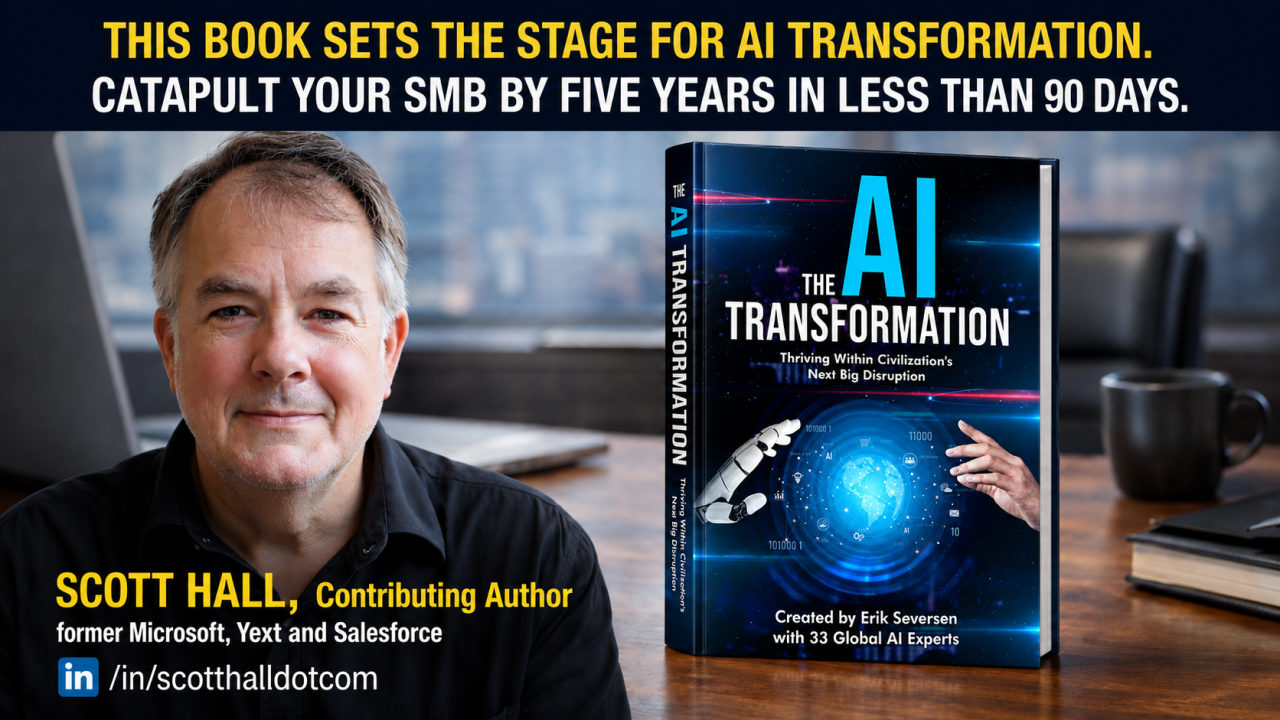
    The AI Transformation book cover alongside a photo of contributing author Scott Hall, former Microsoft, Yext and Salesforce

    Scott Hall is a contributing author to The AI Transformation.

    GET YOUR COPY ON AMAZON →

    Trending this Week:

    A marketing director I talked to last week was thrilled. Her team had cut content review time almost in half using AI, hours she assumed would show up somewhere on the quarter’s numbers. When she pulled the actual output report, the department had shipped almost the same amount of finished work as the quarter before it. The hours were real. The business impact wasn’t.

    That story keeps repeating itself across almost every business I talk to right now. People are genuinely doing their individual jobs faster. Meetings run shorter, drafts turn around quicker, follow-up emails go out same-day, and research that used to eat an afternoon gets done before lunch. None of that speed is fake. It also isn’t turning into a faster business, and most owners can’t explain why.

    New research finally puts a real number on that gap, and it points straight at where all those saved hours are quietly going instead of showing up on the bottom line. MORE →


    Today’s Issue:

    ▶ Three AI tools that turn individual speed into work the whole business can actually use
    ▶ A case study on why 75% of workers feel faster while only 13% of businesses actually perform better
    ▶ A growth hack for redesigning one revenue-generating role around AI instead of bolting more automation onto it

    This week is about the difference between feeling faster and running a business that’s actually performing better.

    Let’s get into it.


    🚀 AI TOOLS OF THE WEEK

    Tool #1

    Omni

    Summary

    Omni takes AI agents you’ve already built and tested on your own machine and moves them into the cloud, where they stop depending on your laptop staying open. From there, an agent can run on a schedule and work through tasks that stretch on for hours, available to your whole team instead of locked inside one person’s chat history. It also gives you a way to test, watch, debug, and keep improving those agents once they’re live instead of setting them loose and hoping.

    Why It Matters

    An agent that only works while your laptop stays open puts a ceiling on what it can actually do for your business, since it depends entirely on you remembering to keep a chat window running. Moving that same agent into the cloud is what turns it from something you experiment with into something the business can actually depend on, the same way you’d depend on software running on a server instead of your desktop.

    Scott’s Take

    “Building an agent that works in a chat window is the easy part now. Getting it dependable enough to hand off to your team without you standing over it, that’s the actual project. This is the tool category that decides whether AI agents become a real part of how your business runs or stay a side project you show off in meetings.”


    Tool #2

    Samepage Signals

    Summary

    Samepage Signals plugs into the tools your team already runs a business through and pulls out the information that actually matters, on its own, before anyone has to go hunting for it. It watches things like customer feedback, what competitors are doing, how a product is actually progressing, where work is getting stuck, and what customers keep asking for, then surfaces the pattern instead of leaving it buried across a dozen different tools.

    Why It Matters

    The bigger a business gets, the more its most important information scatters across calls, CRMs, project boards, and Slack threads nobody rereads. That information doesn’t vanish. It gets buried under everything else that happened that week, and by the time someone notices the pattern, the moment to act on it has often already passed.

    Scott’s Take

    “Most businesses aren’t short on information. What’s actually missing is someone noticing the right piece of it in time to act. The data was already sitting in the CRM or the call notes. A tool like this earns its keep the moment it catches something three weeks before a person would have.”


    Tool #3

    Astute

    Summary

    Astute is a B2B platform built around creator partnerships instead of traditional advertising. It tracks where your brand already shows up, figures out which creators the people you’re trying to sell to already trust, builds a strategy backed by that data, and handles a lot of the legwork behind actually running the partnership.

    Why It Matters

    B2B buyers increasingly make up their mind about a company before a salesperson ever gets on the phone with them, based on a newsletter they subscribe to, a podcast they listen to, a community they’re active in, or a creator whose opinion they already trust. Ignoring that shift means showing up to the conversation after the buyer has already decided what they think of you.

    Scott’s Take

    “Influencer marketing got treated like a consumer-only play for years. I think that was always a mistake, and B2B buyers are proving it. Put the right trusted voice in front of a specific enough audience and you walk into the sales conversation with credibility you didn’t have to build yourself.”


    Sponsored


    Chase for Business - business checking built for growing companies

    Business checking built for growing companies. See Chase for Business →

    📖 AI IN THE REAL WORLD

    The 11 Hours Everyone Gained and the 6.4 Hours Nobody Talks About

    According to a survey of 6,000 digital workers from the Glean Work AI Institute, 75% said AI has made them personally more productive, freeing up an average of 11 hours of work every week. Ask the same group whether AI actually improved how their organization performs overall, and the number collapses to 13%.

    The researchers point to something they call coordination neglect. Speeding up one person’s part of a workflow doesn’t erase the rest of the workflow around it. Someone still has to hand that AI the right context, check what it produced, fix what it got wrong, and make sure the handoff to whoever’s next actually lands. The same survey found workers spending an average of 6.4 hours a week on exactly that kind of work, feeding AI context, supervising its output, correcting what it got wrong, and cleaning up whatever it left behind downstream. Researchers labeled this “botsitting.”

    Their real conclusion is that counting how much AI gets used, how many tasks get completed, how much content gets generated, or how many people are logging into an AI tool every day tells you almost nothing about whether AI actually helped. The only number that means anything is what happens to the entire workflow from the first step to the last one.

    Scott’s Take

    “Measure whether AI made the entire process better, instead of whether it made one task faster. If your AI saves someone three hours and quietly creates two hours of checking and cleanup for somebody else down the line, you didn’t gain three hours. You gained one, and you probably don’t even know where the other two went.”

    READ THE FULL CASE STUDY →

    Sponsored


    Google Workspace for Business - email, docs and collaboration tools for teams

    Email, docs and collaboration tools your whole team can share. See Google Workspace →

    ⚡ AI GROWTH HACK OF THE WEEK

    Redesign One Sales Role Around AI

    The Strategy:

    Pick one person carrying sales or business development and rebuild their week so AI absorbs more of the prep work, freeing them to spend more of their actual time building relationships instead of prepping for them.

    1. Map the whole sales cycle. Write down everything that happens around a sales conversation, including everything before and after it: prospect research, account prep, meeting notes, follow-ups, CRM updates, competitor research, proposal work, reminders.

    2. Sort it by who should own it. Run that list through the prompt below. Some tasks AI can run entirely on its own. Others need AI’s help while a person still finishes the work. Everything else stays fully in human hands.

    3. Automate exactly one task. Pick a single AI-ready task from the results and put it to work this week instead of trying to overhaul the whole process at once.

    4. Measure the hours it actually freed. Track how much additional time your salesperson spent talking to qualified prospects instead of prepping, not how much AI activity happened.

    The AI Prompt to Steal

    “Act as a sales operations consultant reviewing our sales process. Here are the recurring tasks involved: [PASTE TASKS]. Group them by who should own each one. Some tasks AI can run without a person at all. Some need AI assisting while a person finishes the work. The rest should stay fully human, since that’s where the real value comes from. Then redesign our workflow so our salesperson spends as much time as possible talking to qualified prospects, moving conversations forward, deepening trust, and closing more deals. For every task you assign to AI, spell out exactly what it should produce and what a person needs to check before it goes out.”

    Why This Works:

    Automation only pays off once you know what capacity you’re actually creating. The data behind the Inc. 5000’s fastest-growing companies backs that up: growing businesses tend to use both AI and people deliberately, finding the split that lets each one do what it’s actually good at instead of treating automation as a replacement for either.


    Wrapping Up

    This week’s three tools fit that same idea from different angles. Omni takes an AI agent out of a one-off chat window and turns it into something that keeps running on its own schedule. Samepage Signals pulls the information your team needs out of the tools you already use instead of making someone go hunt for it. Astute automates the legwork behind creator partnerships while keeping the actual relationship at the center of the strategy.

    The case study is the part worth sitting with longer, though. Saving time isn’t the same thing as improving a business. If those 11 saved hours turn into 6.4 hours of botsitting somewhere else in the workflow, the bottleneck didn’t disappear. It relocated.

    Start looking past the task that got automated and follow the work all the way to wherever it actually finishes. Did the whole thing get done faster? Was the output better? Did fewer people have to touch it? Did the result actually land better with whoever received it? That’s where you find out whether AI actually created value or moved it somewhere less visible.

    The businesses that come out ahead here will be the ones who can point to the exact place in their workflow where AI made the whole thing run better, start to finish.

    Keep profiting,

    Scott Hall

    AI Profit Letter

    You’re receiving this because you subscribed to the AI Profit Letter.

    Better Online Info LLC | AI Profit Letter | 2150 NJ-35, Suite 250, Sea Girt, NJ 08750


  • That task AI couldn’t handle 6 months ago


    AI Profit Letter – August 26, 2026


    Research vs. scheduling vs. video. Which one saves your afternoon first?͏‌ ͏‌ ͏‌ ͏‌ ͏‌ ͏‌ ͏‌ ͏‌ ͏‌ ͏‌ ͏‌ ͏‌ ͏‌ ͏‌ 


    AI Profit Letter - Run Your Business at the Speed of Intelligence - from the desk of Scott Hall

    WEDNESDAY, AUGUST 26, 2026

    📗 Free Guide . Just Released


    AI Searchability - Optimize Your Business for the AEO and GEO Search Wave

    You Don’t Have a Reputation Problem. You Have an AI Visibility Problem.

    When a client asks ChatGPT, Gemini, or Perplexity to recommend a firm like yours, AI doesn’t pick the best business. It picks the one it can recommend with confidence. Every business now has two reputations: the one your clients know, and the one AI assembles from your digital footprint. AI Searchability breaks down the four signals AI weighs before it recommends you, and how to make sure the reputation you’ve earned is one it can actually see.

    ▶ Why respected firms are going invisible to ChatGPT, Gemini & Perplexity
    ▶ The 4 Pillars of AI Readiness. and which one carries the most weight
    ▶ How to turn the reputation you’ve earned into evidence AI can verify

    GET THE FREE GUIDE →

    Trending this Week:

    Nobody wakes up one morning and finds their entire company running on AI. It happens in pieces so small you barely clock them: a report that used to eat your Tuesday afternoon now takes twenty minutes, a call that used to require three follow-up emails gets handled before lunch.

    New research is putting numbers behind that pattern, and it changes how you should think about what to automate next. MORE →


    Today’s Issue:

    ▶ Three AI tools worth testing on real work this week
    ▶ What new research says about how AI capability is actually climbing
    ▶ A 30-minute exercise for finding what’s ready to hand off right now

    This week is about spotting the pieces that are already ready, before you spend another dollar guessing.

    Let’s get into it. 👇


    🚀 AI TOOLS OF THE WEEK

    Tool #1

    Genspark

    Summary

    Genspark sends a set of specialized AI agents out to research a topic and hands you back something it calls a Sparkpage, a built resource instead of a pile of links you still have to sort through yourself.

    Why It Matters

    Research rarely fails because information doesn’t exist. It fails because there’s too much of it and no time to sort the useful from the noise. For an owner researching a market or sizing up a competitor, having that sorting done for you buys back hours you’d normally spend clicking through search results.

    Scott’s Take

    “Don’t hand this thing questions you already know the answer to. Hand it the questions you haven’t gotten around to asking yet. That’s where the actual edge shows up, the angle or the gap nobody else bothered to dig for.”


    Tool #2

    Noah

    Summary

    Noah works as a proactive AI executive assistant, handling your calendar, your relationships, your meetings, and your follow-ups across whatever tools you’re already using to talk to people. It coordinates schedules, sends messages, captures action items out of meetings, and keeps the important relationships from going quiet on their own.

    Why It Matters

    A surprising chunk of an owner’s day disappears into coordination instead of actual work. Booking a meeting, remembering to follow up, keeping a conversation moving forward, none of those tasks are big on their own, but stacked together across a week they eat a real amount of attention.

    Scott’s Take

    “I like this kind of automation because the goal isn’t speed. It’s getting the small stuff that keeps tapping you on the shoulder out of your head entirely, so whatever attention you’ve got left goes toward the work that actually needs it.”


    Tool #3

    Velo

    Summary

    Velo takes a rough screen recording and turns it into a finished product video, cleaning up the walkthrough, writing the script and narration, and adding the zooms and cursor movement that make it watchable.

    Why It Matters

    Every business repeats itself. Onboarding and the same product walkthrough, explained again for the fifth time this month. Turning that explanation into a video means you say it once and it keeps working without you in the room.

    Scott’s Take

    “If you’ve explained the same thing five times this month, stop explaining it a sixth. Record it once, let a tool like this clean it up, and hand people the video next time instead of your afternoon.”


    Sponsored


    Chase for Business - business checking built for growing companies

    Business checking built for growing companies. See Chase for Business →

    📖 AI IN THE REAL WORLD

    AI Capability Is Climbing Like a Tide, Not Landing Like a Wave

    MIT Sloan pulled together more than 60,000 worker evaluations covering over 6,000 real, text-based workplace tasks to see how AI capability is actually moving. The pattern showed steady improvement spread across a wide range of tasks at once, rather than a handful of jobs suddenly getting automated overnight.

    Across the models MIT Sloan’s researchers studied, AI could already turn in a minimally sufficient result with no edits on 50% to 75% of the text-based tasks tested. The same researchers found that stretching a task out to ten times its normal length only dropped the success rate by six to seven percentage points, which tells you the length of a task matters less to AI capability than most owners assume.

    Their projections suggest a lot of these text-based tasks could hit 88% to 97% success rates by 2030 at a minimally sufficient level, though the researchers are careful to note that being technically capable of a task isn’t the same as it being the right call to automate it.

    Scott’s Take

    “The rising tide comparison is the right one. You don’t need to blow up how your business runs tomorrow morning, but you can’t assume the way you’re working today still makes sense three years out either. Go back every few months and check the stuff AI couldn’t handle last time you looked. You’ll be surprised how often the answer changed without you noticing.”

    READ THE FULL CASE STUDY →

    Sponsored


    Google Workspace for Business - email, docs and collaboration tools for teams

    Email, docs and collaboration tools your whole team can share. See Google Workspace →

    ⚡ AI GROWTH HACK OF THE WEEK

    The 30-Minute AI Task Audit

    The Strategy:

    Skip the search for another tool this week. Instead, spend half an hour figuring out which tasks already sitting in your business are ready for AI to take off your plate.

    1. Write down what you actually did on repeat over the last seven days. Research, scheduling, follow-ups, emails, reporting, content, answering the same customer question again.

    2. Drop that list into your AI assistant of choice using the prompt below.

    3. Pick one task from what comes back and test it for real this week.

    4. Measure whether it actually saved time before you touch a second task.

    The AI Prompt to Steal

    “Act as an AI workflow consultant. Review these recurring tasks from my business: [PASTE TASKS]. For each task, tell me whether AI should currently handle it mostly independently, assist a human doing it, or stay out of it and leave it to a human. Then rank the five best opportunities to test first based on time saved, business impact, and risk. For each of the top five, suggest a simple workflow I could test this week.”

    Why This Works:

    AI capability moves too fast for a once-a-year audit to mean anything. A task that needed a person’s full attention six months ago might be handled without one today, and the only way you find that out is by checking again instead of assuming last quarter’s answer still holds.


    Wrapping Up

    Genspark takes over more of the digging that eats a research afternoon. Noah picks up the coordination that quietly drains your attention all day. Velo turns an explanation you’d otherwise give five separate times into something you record once and reuse forever.

    The MIT Sloan research gives that shift a shape worth remembering. AI adoption doesn’t have to hit as one disruption you brace for. It climbs steadily, task by task, until you look up one day and realize a chunk of your week runs differently than it used to.

    That’s the opening for you. You don’t have to guess where AI lands by 2030. You have to keep checking what it can already do today, then move one more repeat task off your desk while the tools are ready for it.

    Run the audit this week. Pick one task. Test it. Then come back and pick the next one.

    Build it once. Let it answer for you every day after that.

    Keep profiting,

    Scott Hall

    AI Profit Letter

    You’re receiving this because you subscribed to the AI Profit Letter.

    Better Online Info LLC | AI Profit Letter | 2150 NJ-35, Suite 250, Sea Girt, NJ 08750


  • Two tools that run your business while you sleep


    AI Profit Letter – August 19, 2026


    Zinley answers calls. YourSitee closes them. Together, they're your front door.Zinley answers calls. YourSitee closes them. Together, they're your front door.

    The businesses pulling ahead with AI right now aren't running the longest tool list. They're running the tools answering calls, sorting noise, greeting customers before you've opened your inbox.

    ‌ ‌ ‌ ‌ ‌ ‌ ‌ ‌ ‌ ‌ ‌ ‌ ‌ ‌ ‌ ‌ ‌ ‌ ‌ ‌ ‌ ‌ ‌ ‌ ‌ 


    AI Profit Letter - Run Your Business at the Speed of Intelligence - from the desk of Scott Hall

    WEDNESDAY, AUGUST 19, 2026

    📗  Free Guide  ·  Just Released


    AI Searchability - Optimize Your Business for the AEO and GEO Search Wave

    You Don't Have a Reputation Problem. You Have an AI Visibility Problem.

    When a client asks ChatGPT, Gemini, or Perplexity to recommend a firm like yours, AI doesn't pick the best business. it picks the one it can recommend with confidence. Every business now has two reputations: the one your clients know, and the one AI assembles from your digital footprint. AI Searchability breaks down the four signals AI weighs before it recommends you, and how to make sure the reputation you've earned is one it can actually see.

    ▶ Why respected firms are going invisible to ChatGPT, Gemini & Perplexity
    ▶ The 4 Pillars of AI Readiness. and which one carries the most weight
    ▶ How to turn the reputation you've earned into evidence AI can verify

    GET THE FREE GUIDE →

    Trending this Week:

    The businesses pulling ahead with AI right now aren't running the longest tool list you've ever seen. They're running the tools you never actually watch working, the ones answering a call, sorting the noise, greeting a customer, and booking the appointment before you've even opened your inbox for the day.

    That shift changes what "using AI" even means for a small business, and it's happening faster than most owners have noticed. MORE →


    Today's Issue:

    ▶ Two AI tools built to handle your calls and pull your entire online presence into one place
    ▶ What MIT Sloan Management Review found about the businesses actually winning with AI
    ▶ A growth hack for turning every conversation your business has into a system that keeps running without you

    This week is about what happens once AI stops being an app you open on purpose and starts being the front door your customers actually walk through.

    Let's get into it. 👇


    🚀  AI TOOLS OF THE WEEK

    Tool #1

    Zinley

    Summary

    Zinley gives your business its own AI-run phone number and email address. It answers calls, responds to messages, books appointments, and works through tasks based on rules you set ahead of time, and it keeps track of the people and relationships behind every interaction instead of treating each caller like a stranger it's meeting for the first time.

    Why It Matters

    Most AI tools sit around waiting for you to type a question into them. Zinley runs the other direction. It handles the calls and emails on its own, so the business keeps moving on the days you're buried in something else and nowhere near your phone.

    Scott's Take

    "I used to think answering every call myself was good customer service. Half the time it was me interrupting real work to explain the same office hours for the fourth time that day. Handing that off isn't losing the personal touch. It's finally getting your attention back for the calls that actually need it."


    Tool #2

    YourSitee

    Summary

    YourSitee pulls your entire online presence into one customizable page. It comes with more than 20 widgets and an AI tool that imports your existing Linktree setup in a couple of clicks. Analytics are built in too, so you can see exactly what visitors are clicking once they land there.

    Why It Matters

    A customer who finds you across three different platforms shouldn't have to go hunting for the one place they can actually book or buy from you. One destination removes that friction before it ever costs you the sale.

    Scott's Take

    "Every business I talk to has links scattered across a bio and an old website nobody's touched in months. YourSitee isn't flashy. It closes the gap between someone finding you and someone actually doing business with you."


    Sponsored


    Chase for Business - business checking built for growing companies

    Business checking built for growing companies. See Chase for Business →

    📖  AI IN THE REAL WORLD

    Why AI-Driven Enterprises Are the Future of Entrepreneurship

    According to MIT Sloan Management Review, the businesses seeing the biggest returns from AI have stopped treating it as a tool you pull out for one task at a time. The report found that these companies are rebuilding how decisions get made, how teams collaborate, how work actually gets executed, and how customers experience the result, with AI built into that structure from the start instead of bolted onto whatever process already existed.

    The piece is direct about where the real value comes from. It isn't AI replacing people. It's AI paired with the judgment a person brings, running inside a business designed to use it well instead of a business hoping the software fixes something the process never could.

    Scott's Take

    "Every owner asks me the same question. Where should I start with AI? Wrong question. Start by asking how you'd build this process today if AI already existed when you opened the doors. That question gets you somewhere the tool-shopping question never does."

    READ THE FULL CASE STUDY →

    Sponsored


    Google Workspace for Business - email, docs and collaboration tools for teams

    Email, docs and collaboration tools your whole team can share. See Google Workspace →

    ⚡  AI GROWTH HACK OF THE WEEK

    Build an AI Communication Hub

    The Strategy:

    Connect the tools your customers actually interact with, so AI can catch opportunities and get back to people faster than you could on your own.

    1. Let Zinley pick up incoming calls and emails instead of routing every single one through you first.

    2. Point YourSitee at every channel you're active on, so it becomes the one link you hand out instead of five competing profiles.

    3. Whenever a sharp idea or a good question comes up during a call or email, drop a quick voice note or a line into whatever notes app is already sitting on your phone. Don't stop to organize it in the moment.

    4. Review those notes once a week and turn the ones that keep repeating into a blog post, an email, a video, or a social update.

    The AI Prompt to Steal

    "Act as my marketing assistant. Read through this week's call summaries and notes and pull out the strongest content ideas. Turn them into one LinkedIn post, one email topic, one short-form video idea, and one call-to-action that gets a prospect to reach out directly."

    Why This Works:

    Your business generates real, usable material every single day through the calls and conversations that already happen. Most of it disappears the moment the conversation ends because nothing is set up to catch it. This workflow catches that material and turns it into marketing assets that keep paying off long after the call itself is forgotten.


    Wrapping Up

    Zinley and YourSitee solve two different halves of the same problem. One handles the conversation once a customer reaches out. The other makes sure they land somewhere clear the moment they go looking for you. Neither one is impressive purely as a standalone app. What's actually worth paying attention to is what happens once they're both running quietly behind the business at the same time.

    That's the same lesson buried in the MIT Sloan piece this week. The companies pulling ahead didn't win by adopting AI first. They won by rebuilding the process around it, so the technology supports the business instead of sitting next to it as one more login nobody has time to check.

    The owners winning over the next few years won't be the ones with the longest subscription list. They'll be the ones who built a front door AI can run, so the business keeps moving even on the days they're nowhere near it.

    Build it once. Let it answer for you every day after that.

    Keep profiting,

    Scott Hall

    AI Profit Letter

    You're receiving this because you subscribed to the AI Profit Letter.

    Better Online Info LLC  |  AI Profit Letter  |  2150 NJ-35, Suite 250, Sea Girt, NJ 08750

    Unsubscribe
      ·  
    View in browser


    Click here to unsubscribe