|
|
WEDNESDAY, AUGUST 5, 2026
|
|
📗 Free Guide · Just Released
|
|
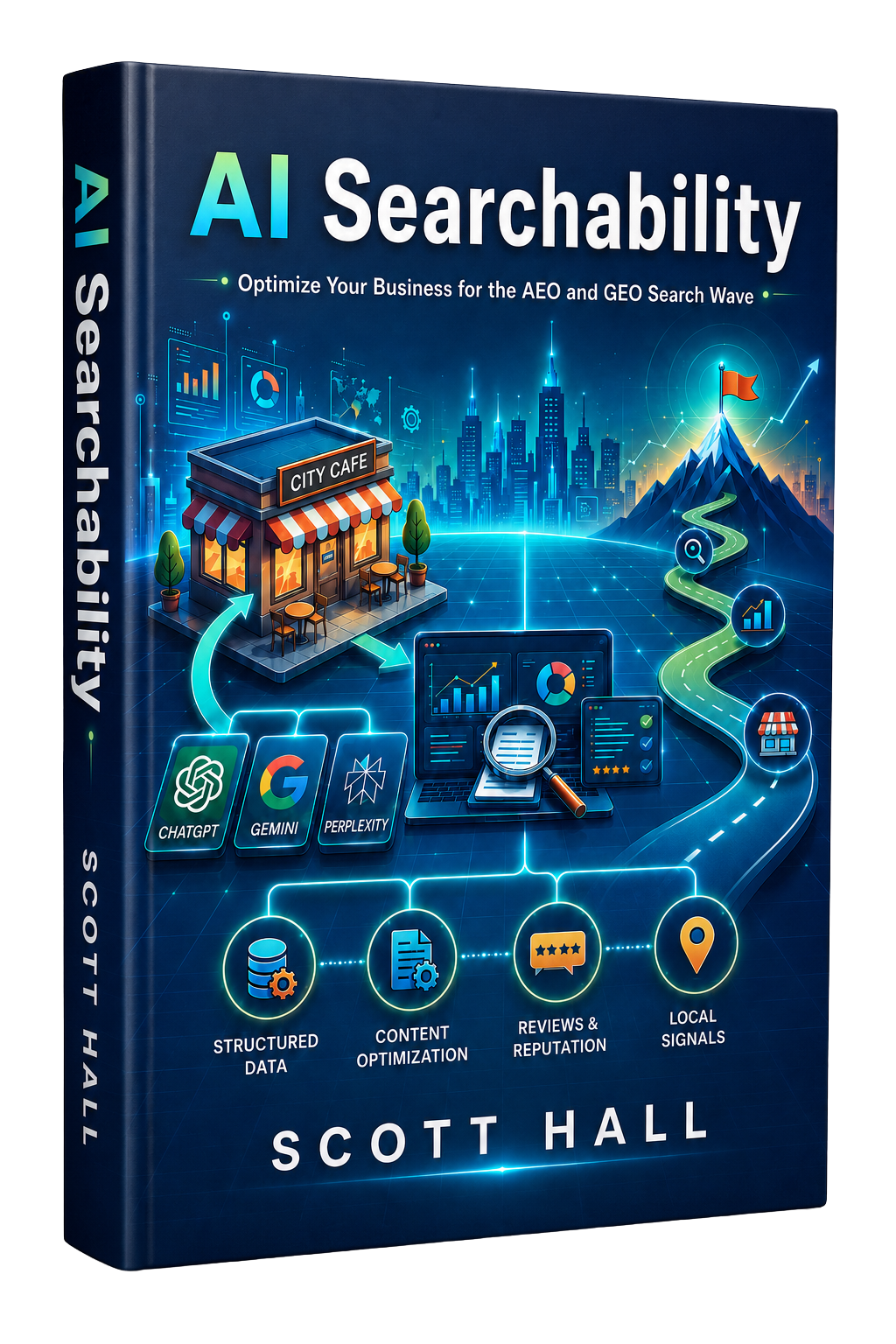
You Don't Have a Reputation Problem — You Have an AI Visibility Problem.
When a client asks ChatGPT, Gemini, or Perplexity to recommend a firm like yours, AI doesn't pick the best business — it picks the one it can recommend with confidence. Every business now has two reputations: the one your clients know, and the one AI assembles from your digital footprint. AI Searchability breaks down the four signals AI weighs before it recommends you, and how to make sure the reputation you've earned is one it can actually see.
| ▶ Why respected firms are going invisible to ChatGPT, Gemini & Perplexity |
| ▶ The 4 Pillars of AI Readiness — and which one carries the most weight |
| ▶ How to turn the reputation you've earned into evidence AI can verify |
|
|
|
Trending this Week:
I had a client tell me last week that she'd finally “gone all in on AI.” She had one assistant drafting emails, another summarizing sales calls, a third cranking out marketing copy, and a fourth trying to keep the project board updated. Four tools, four logins, and not one of them had any idea the others existed.
That's most businesses right now. Everybody's stacking AI tools like they're collecting trading cards, and nobody's asking whether those tools actually work together.
Here's the shift nobody's talking about: the next wave of AI is less about making one person faster and more about getting an entire team, and every tool that team relies on, moving in the same direction without you micromanaging every handoff. MORE →
Today's Issue:
| ▶ 3 tools that act like teammates instead of solo assistants |
| ▶ A case study on AI helping hundreds of people think together |
| ▶ A growth hack for building your own AI operating system |
This week's focus is building an AI setup where your tools coordinate instead of operating in their own little silos.
Let's get into it. 👇
|
|
|
🚀 AI TOOLS OF THE WEEK
|
|
Tool #1
WorkBuddy
Summary
WorkBuddy is an AI agent built for regular office work. Instead of handing every request to one generalist bot, you route tasks to specialized AI agents and compare their answers before anything lands on your desk.
Why It Matters
Most companies are running one all-purpose assistant and expecting it to be great at everything from copywriting to spreadsheet cleanup. That's asking a lot from one tool.
|
Scott's Take
“I don't want a single AI trying to be my copywriter, analyst, project manager, and scheduler all at once. I want a bench. WorkBuddy treats AI more like a staff than a Swiss Army knife.”
|
|
|
|
Tool #2
AI Brand Kits
Summary
Feed it a website URL or a color palette and AI Brand Kits builds out a full design system, then exports a file your dev tools can actually read and follow.
Why It Matters
The more AI tools you use to build pages and marketing assets, the easier it becomes for your brand to look like it was designed by five different people. This keeps everyone on the same page, literally.
|
Scott's Take
“Your brand used to live in a style guide nobody opened. Now it needs to live somewhere your AI tools can read it too, or you'll end up with a website that looks like a ransom note.”
|
|
|
|
Tool #3
Upstream
Summary
Upstream is an AI email client that sorts your inbox, drafts replies, flags what actually needs your attention, and mutes the noise instead of burying it under fifty newsletter unsubscribes.
Why It Matters
Email eats more of the workday than most owners want to admit. Upstream cuts the busywork so you can spend your attention on the messages that move the business forward.
|
Scott's Take
“The win here has less to do with answering email faster and more to do with skipping fifty tiny decisions a day about what deserves a response at all. That mental tax adds up more than people admit.”
|
|
|
|
Sponsored
Business checking built for growing companies. See Chase for Business →
|
|
📖 AI IN THE REAL WORLD
|
The AI Experiment That Got 277 Strangers to Agree on Something
A recent VentureBeat piece covers something called hyper-communication, where AI agents link large groups of people into one coordinated conversation instead of replacing anyone's thinking.
In one demo, 277 people took part in a live, AI-assisted discussion about America's biggest innovations over the last two and a half centuries. Rather than letting that many voices turn into noise, the AI split people into smaller groups and passed ideas back and forth until the whole crowd landed on conclusions together.
Nobody handed a decision to a machine. The machine helped a few hundred humans get organized enough to make one.
|
Scott's Take
“This is the part of AI that doesn't get enough attention. Everybody's worried about AI replacing one person's job. The bigger opportunity is AI helping fifty people stop stepping on each other. Coordination breaks down way before execution does.”
|
|
|
|
Sponsored
Email, docs and collaboration tools your whole team can share. See Google Workspace →
|
|
⚡ AI GROWTH HACK OF THE WEEK
|
Turn Your Scattered AI Tools Into One System
The Strategy:
Stop treating AI like a pile of separate apps. Give each tool a lane, a specific job inside your workflow, so they function like a team instead of a junk drawer of subscriptions.
1. Assign the research and drafting work. Use a tool like WorkBuddy to pull information and produce first drafts you can edit instead of starting from a blank page.
2. Lock down consistency. Run a tool like AI Brand Kits so every asset, whether it's a landing page or a social graphic, follows the same visual rules automatically.
3. Hand off communication triage. Let a tool like Upstream sort and prioritize your inbox so the important conversations rise to the top on their own.
4. Review instead of execute. Your job shifts from doing every step yourself to checking the output and making the calls only you can make.
|
The AI Prompt to Steal
“Act as an operations consultant. Review this business workflow: [describe your workflow]. Break it into individual responsibilities and tell me which tasks should go to a specialized AI tool versus staying with a human. Explain your reasoning for each one.”
|
Why This Works:
Most businesses use AI one task at a time and wonder why it still feels like extra work. The companies pulling ahead are building setups where each tool owns a specific piece of the process, which frees up actual humans to spend their time making decisions instead of babysitting software.
|
|
Wrapping Up
Here's the thread connecting everything this week. WorkBuddy shows what happens when AI tools split up the work instead of one bot trying to do it all. AI Brand Kits keeps your output looking like it came from one company, not five. Upstream clears the inbox clutter that eats your morning before you've done a single real task.
The VentureBeat case study scales that same idea up, several hundred people at a time. Entire groups are starting to think, talk, plan, and solve problems together instead of one person moving faster alone.
That shift is worth your attention, whether you run a five-person shop or a fifty-person one. The businesses that come out ahead over the next few years won't simply have employees who happen to use AI. They'll have built something closer to an operating system, where AI connects the people, keeps hold of the knowledge, moves the work forward, and doesn't need someone to chase it down.
So the next time you look at a new AI tool, skip the obvious question. Don't ask what task it automates. Ask how it helps your business work together better. That answer might end up mattering more than any single feature on the list.
|
|
Keep profiting,
Scott Hall
AI Profit Letter
|
|
You're receiving this because you subscribed to the AI Profit Letter.
Better Online Info LLC | AI Profit Letter | 2150 NJ-35, Suite 250, Sea Girt, NJ 08750
Unsubscribe
·
View in browser
|
|